
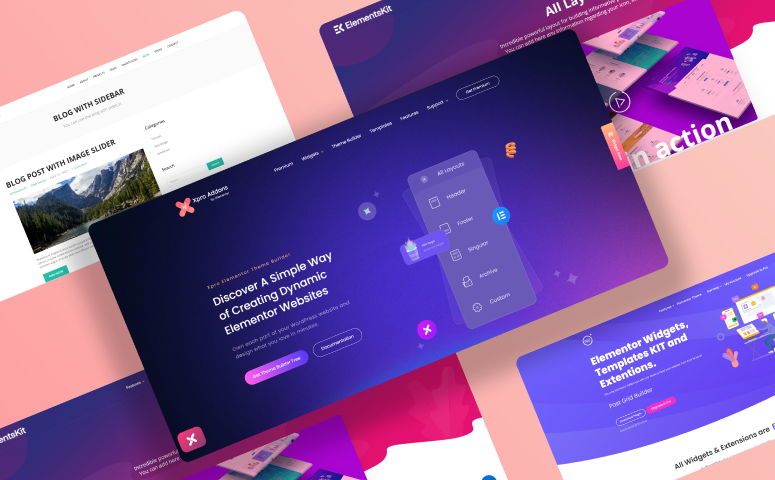
The free Elementor theme builder by Xpro is the tool these alternatives compete with — it builds headers, footers, archives, singular layouts, and 404 pages on top of the free Elementor plugin, with no Elementor Pro required. If you’re evaluating other free builders, here’s how the six most popular options compare in 2026.
Table of Contents
We all know how Elementor has been a go-to WordPress page builder for about ten years now, with ~37.2 million live active sites. The free version is enough for a basic site, but the Theme Builder (headers, footers, archives, single templates) sits behind Elementor Pro. The popularity is unrealistic but also justifies the groundbreaking features and benefits of Elementor. You can create a basic website using the free version of Elementor.
Although most of the premium features are available with the Pro version of the page builder many popular Elementor Addons developers have also built free Elementor widgets, page templates, and theme builders for Elementor.
These Elementor free add-ons can be used to create highly customized websites at zero cost. Today we will discuss those add-ons including free Elementor theme builders and find out their features & benefits in the long run.
Free Elementor Theme Builder Alternatives at a Glance
Free Elementor theme builders are proving to be the best friends of WordPress designers and developers whether they are looking to build a complete eCommerce website or a simple landing page. Especially those who want to customize their websites by changing the default site parts. They can simply use a theme builder for Elementor to customize websites with complete creative freedom.
A theme builder allows you to modify your theme’s core elements, such as the header, footer, single post template, or blog archives. Essentially, this eliminates the need for a ‘traditional’ WordPress theme to rely on. This means you can design your entire theme including:
- Headers
- Footers
- Archive templates
- Single post/page templates
- Woocommerce product & category templates
Learn more about Best Elementor Theme Builders (Compared & Tested).
We have researched and compiled a list of popular Elementor theme builders, the features they offer, and how you can easily download them to customize your website.
- Xpro Elementor Theme Builder by Xpro
- Royal Theme Builder by WP Royal
- Elementor Header & Footer Builder by Ultimate Addons
- Theme Builder for Elementor by Blocks WP
- Header Footer Builder by ElementsKit
- HT Builder by HasThemes
Before diving into the details, here’s a concise comparison table that pretty much highlights all features offered by these theme builders and header footer builders for Elementor.
| Feature | Xpro Theme Builder | Royal Theme Builder | Ultimate Addons for Elementor | Theme Builder for Elementor (BlocksWP) | Header Footer Builder (ElementsKit) | HT Builder (HasThemes) |
| Header/Footer | ✅ | ✅ | ✅ | ✅ | ✅ | ✅ |
| Archive & Singular | ✅ | ✅ | ❌ Header/footer/blocks only | ✅ Basic | ❌ Header/footer only | ✅ |
| Replaces Elementor Pro Theme Builder? | ✅ Yes | ✅ Yes | ❌ Partial | ✅ Mostly yes | ❌ Partial | ✅ Yes |
| Elementor Pro needed | No | No | No | No | No | No |
| WP rating | ⭐ 5.0 | ⭐ 4.8 | ⭐ 4.9 | ⭐ 4.2 | ⭐ 4.9 | ⭐ 2.5 |
1. Xpro Elementor Theme Builder by Xpro
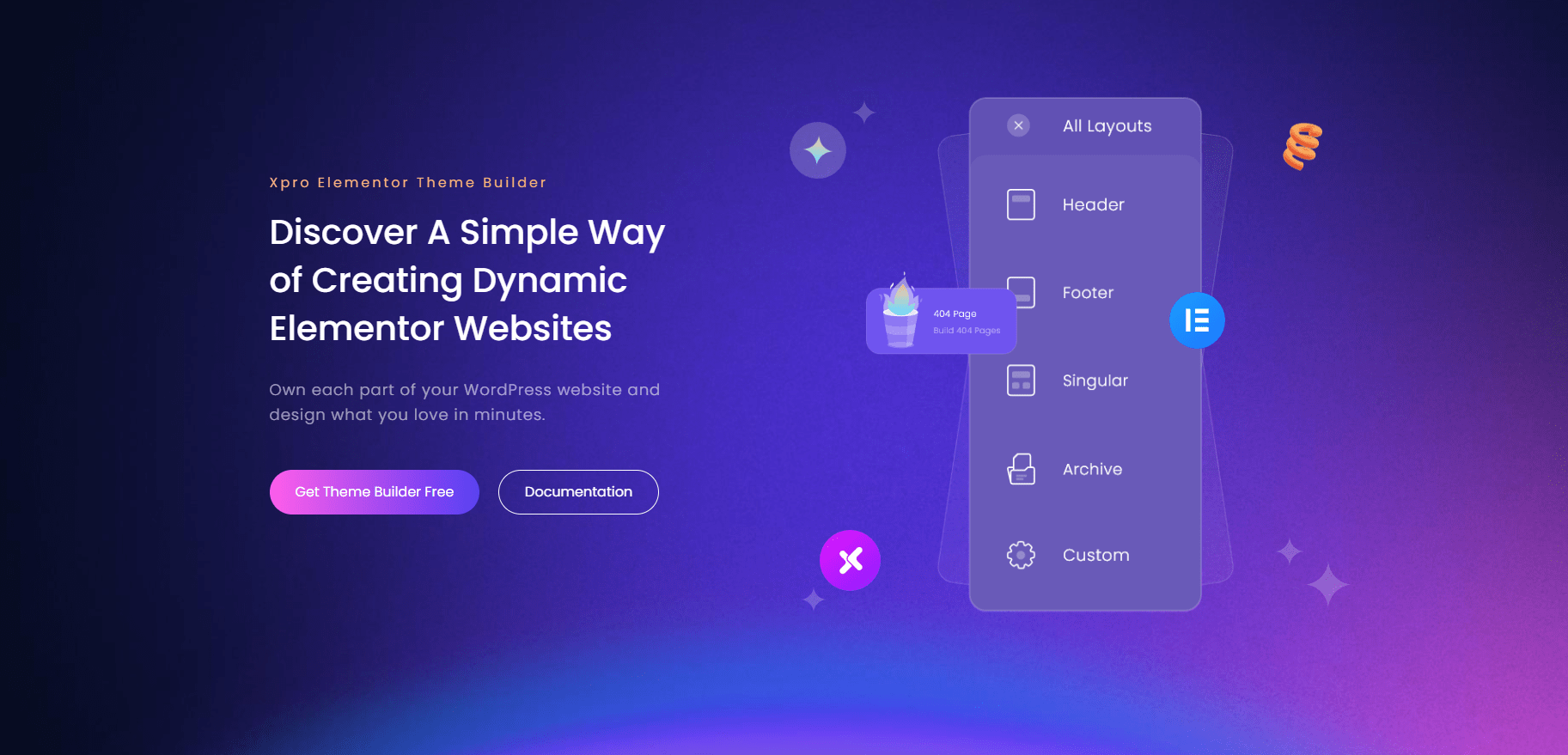
Xpro Elementor Theme Builder is a newer theme builder from the team behind Xpro Elementor Addons. The theme builder is fully compatible with popular WordPress themes like Xpro, Hello, GeneratePress, and Astra. You can check our comprehensive list of best Elementor themes and choose the one you like. Xpro Elementor Theme Builder also comes with WooCommerce integration and third-party plugin support.
It is a standalone plugin that comes with 20+ Elementor theme builder widgets, free Elementor templates & sections. You can easily customize your websites on the go using a live front-end dashboard. Xpro Elementor theme builder is a great option for building a customized header and footer for Elementor with a sticky header option and custom display locations. Let’s see what this Free theme builder for Elementor has to offer.
Features
Xpro Elementor theme builder has already impressed us with tons of features including a sticky header option, free theme builder widgets, free templates, a global templates option, and more. Let’s see the salient features of this theme builder:
- Live front-end editing
- Create a custom header & footer
- Create a sticky header for your website
- Customize templates location
- Pick display conditions, user roles, and more
- Create a 404 page, search result page template
- 1-click templates importer
- Full compatibility with WooCommerce
- Fully integrated with popular WordPress themes
- Customize post detail pages
- Create custom templates for post & product category
- Create custom blocks and use them anywhere on the website
- Define global theme templates
- Free widgets to easily customize site parts
- Priority support & lifetime updates
- Fully documented plugin
Free Elementor Theme Builder Widgets
Xpro Elementor theme builder comes with 20+ theme builder widgets to help you customize your theme part as you need. This is the reason why this theme builder is considered the best theme layout builder for WordPress.
- Elementor Horizontal Menu
- Elementor Post Title
- Elementor Featured Image
- Elementor Site Title
- Elementor Site Logo
- Elementor Post Content/Single Excerpt
- Elementor Woo Product Title
- Elementor Woo Product Images
- Elementor Woo Product Rating
- Elementor Woo Product Description
- Elementor Woo Product Add To Cart
- Elementor Woo Product Price
Fully Documented Free Theme Builder for Elementor
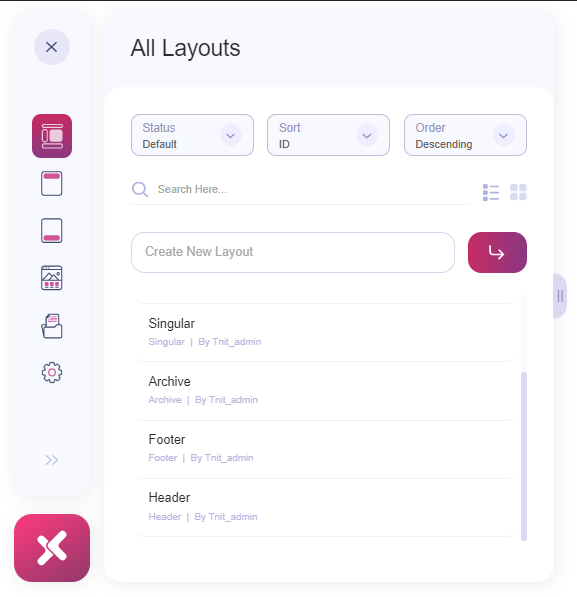
The How to use Xpro Elementor theme builder documentation has in-depth tutorials/guides for beginners to design custom layouts for header, footer, singular, and archive sections of a website. You can directly jump to layouts documentation and explore how you can easily edit theme parts right from the frontend dashboard.
Website
You can visit the official XPro Free Elementor theme builder to explore more features and details.
Download Xpro Elementor Theme Builder
Relatively a new WordPress Elementor theme builder with the absolute potential of becoming a favorite of Elementor users. The reason is that it’s free and offers everything included in the paid Elementor theme builder plus more; free widgets, templates, a sticky header option, and compatibility with all popular WordPress themes. Download the plugin from the button below.
2. Royal Theme Builder by WP Royal
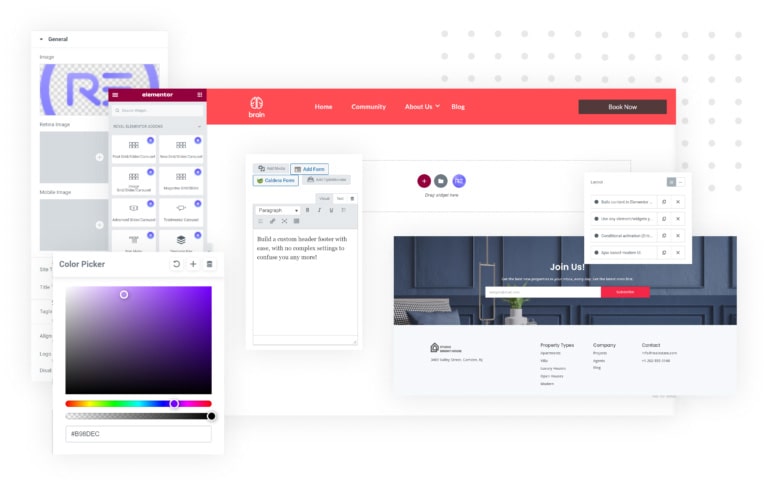
Royal’s theme builder isn’t a standalone plugin. It’s built into Royal Addons for Elementor (formerly Royal Elementor Addons), which has 600K+ active installs and a 4.8 rating on WP.org.
It covers more than headers and footers. Its listing includes header and footer builders, post and product archives, single post, product and page templates, plus search, category, tag, author and 404 templates. It also has a WooCommerce builder and a mega menu builder.
One thing to check before you build on it: Royal mixes free and Pro features, and its listing doesn’t clearly separate them. Open the plugin and confirm the template types you need are included in the free version..
Let’s see the key features of this theme builder.
Features
You can customize every fundamental part of your WordPress site using the Royal Elementor theme builder. The salient features are as follows:
- Header and footer builder
- Archive, single and search templates
- WooCommerce builder (product archive and single product)
- Mega menu builder and custom widget builder
- 100+ addons and 150+ template kits
Download Royal Theme Builder
It comes bundled with Royal Addons for Elementor. Install the plugin and the theme builder is included.
Ultimate Addons for Elementor

This is the plugin many people still know as Elementor Header & Footer Builder. Brainstorm Force rebranded it as Ultimate Addons for Elementor (UAE), and it now has 2M+ active installs and a 4.9 rating.
The free version is still focused on headers, footers and reusable blocks. It doesn’t build single post/page or archive templates, so it only partly replaces Elementor Pro’s Theme Builder. It also has no front-end editing dashboard. You build layouts in the backend.
If you only need a custom header and footer, it’s a solid, lightweight pick.
Features
The editor gives you complete freedom to design beautiful sections. You can create out-of-box header and footer designs using this plugin.
- Create a free header & footer
- Fully compatible with popular themes like Astra, Hello
- Comes with 9 free widgets
- Ability to create a ‘before footer’ template
- Display locations option for header & footer
- Free priority support
Free Header & Footer Widgets
The plugin offers built-in widgets that help to create header and footer layouts for Elementor websites. These widgets offer basic features to customize headers and footers. The widgets are:
- Site Logo
- Site Title
- Retina Image
- WooCommerce Menu
- Site Tagline
- Copyright
- Search
- Navigation Menu
- Page Title
Documentation
The Elementor header & footer builder is also supported by a complete guide and documentation to help you easily get started with the plugin.
Download Elementor Header & Footer Builder
The popular Elementor Header & Footer builder has over a million downloads with 1600+ 5-star reviews. You can download it from the button below.
4. Theme Builder for Elementor by Blocks WP

BlocksWP’s free theme builder covers the basics: header, footer, blog archive, single posts and pages, sidebar and 404 templates, with one-click import for pre-designed layouts. It runs without Elementor Pro, but don’t run it alongside Elementor Pro’s Theme Builder. The developer says the two aren’t compatible.
It’s also a smaller, less active project. It has about 2,000 active installs and a 4.2 rating from 5 reviews. The last update was roughly 11 months ago, and its changelog only mentions testing up to Elementor 3.30. WP.org may also show a “not tested with the latest WordPress releases” warning, so check the listing before using it on a client site. Its current listing doesn’t mention WooCommerce templates, and there’s no front-end editing.
- Header
- Footer
- Post
- Page
- Sidebar
- Archive (Blog) page
- 404 page
However, this free Elementor theme builder has no support for WooCommerce and popular WordPress themes. The company has created its theme that’s fully compatible with the theme builder. It also has no frontend dashboard and you need to make layouts from the backend.
Features
The theme builder for Elementor by Blocks WP is quite new and offers the following features:
- Pre-designed templates
- Customize header and footer
- Option to customize single page/post and archive templates
- 1-click demo layouts import
Built-in Widgets
The theme builder for Elementor by Blocks WP comes with built-in widgets that help create site layouts easily.
- Post Title
- Content
- Post date
- Featured image
- Read more button
- Post author
- Post Categories
- Post tags
- Post comments
Website
You can explore all the features and details of Blocks WP theme builder by visiting their website.
Doc link
Blocks WP has created concise documentation to help the user easily get started with the plugin. You can view the documentation to familiarize yourself with this theme builder.
Download Theme Builder for Elementor by Blocks WP
Test it on a staging site first, since updates have been infrequent.
5. Header Footer Builder by ElementsKit
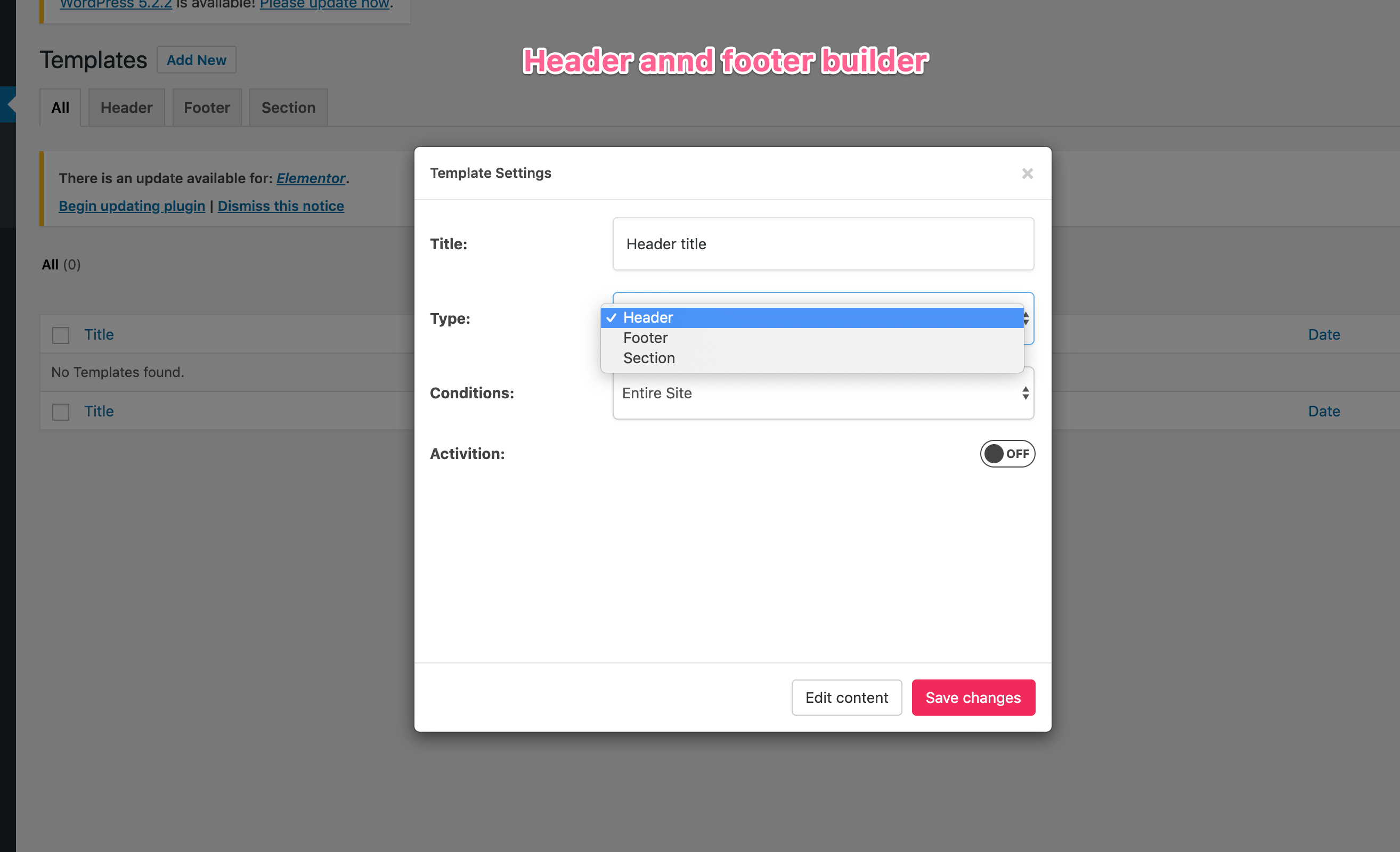
Developed by the WPmet team, this header & footer builder offers all basic customization options for your Elementor website. The plugin helps you create a header and footer template with a logo and a custom menu but most of the options are available in the Pro version of the plugin.
Features
This exclusive header and footer builder for Elementor offers a fully drag-drop builder for Elementor using which you can create templates on the fly. The prominent features are:
- Create custom headers & footers
- Fully documented plugin
- Free header & footer templates
- Free widgets to build custom header/footer
Free Header & Footer Widgets
List of free Elementor header & footer widgets that come with this plugin by ElementsKit:
- Category List
- Page List
- ElementsKit Nav Menu
- Header Info
- Header Search
- Header Offcanvas
Documentation
The Header & Footer Builder by ElementsKit is also supported by a complete guide and documentation to help you easily get started with the plugin.
Website
You can explore all the features and details of Header Footer Builder by ElementsKit by visiting the detail page on the website.
Download Header & Footer Builder by ElementsKit
Download the ElementsKit header & footer builder by clicking the button below:
6. HT Builder by HasThemes
HT Builder is a free drag-and-drop theme builder from HasThemes, the team behind HT Mega. Its current listing includes custom header and footer templates, a blog page, blog details page, archive page, search page and 404 page.
It’s a niche option with about 900 active installs and a 2.5 rating from 2 reviews. One of those reviews reports a site slowdown, so test it on staging. A Pro version exists.
Also fix the widget count. The post currently says “10 dedicated widgets” in one place and “14 Elements” in another.
Features
This basic theme builder for Elementor offers a fully drag’n’drop builder for Elementor. The prominent features are:
- 14 Elements
- Blog Page Builder
- Single Blog Page Builder
- Header Builder
- Footer Builder
- Online Template Importer
Documentation
HT Builder by HasThemes has a support ticketing system in case you need help with anything. You can also visit the documentation section of HT Mega to learn more about this theme builder.
Website
You can explore all the features and details of HT Builder by visiting their official website.
HT Builder – WordPress Theme Builder for Elementor
Download HT Builder from WordPress.org and test it on a staging site first.
Final Verdict: Which Alternative Fits Your Site?
We hope this article puts a clear picture of all free Elementor theme builders. Each free Elementor theme builder or header and footer builder has unique features, some of them are paid and some are free to use. If you’re only looking to create header & footers using free menu templates then Header & Footer Builder by Ultimate addons is a go-to option. However, it is a simple header & footer builder with no option to customize single page/post and archive templates.
Another great option is Xpro’s free Elementor theme builder. It’s a complete Elementor addons suite with a free theme builder, 60+ best free Elementor widgets, and 100+ free Elementor templates. You can opt for this theme builder for Elementor if you want to truly go crazy with your customizations.
This theme builder lets you create a custom header, footer, sticky header, archive & single page templates. It comes with free 20+ dedicated theme builder widgets for Elementor to assist you with your design goals. Xpro Elementor theme builder is also fully compatible with popular WordPress themes like Xpro, Astra, Hello, and GeneratePress, so there’s no need to worry about theme compatibility here. This is probably the best alternative to the expensive Elementor Theme Builder.
Royal is the other full-featured option here. It covers archives, single templates, search and 404 pages, and includes a WooCommerce builder. Because it mixes free and Pro features, check that the templates you need are in the free version before committing.
The decision is all yours and it depends on your Elementor site customization needs. We did our best to highlight key features and benefits of all free Elementor theme builders available in the market.
Is there a free alternative to Elementor Pro’s Theme Builder?
Yes — the free version of Xpro Theme Builder is the closest free alternative to Elementor Pro’s Theme Builder, letting you design headers, footers, archive pages, singular layouts, and 404 pages on top of the free Elementor plugin. Beyond Xpro, five other genuinely free builders cover parts of that job — Royal Theme Builder, Ultimate Addon’s Header Footer Builder, BlocksWP’s Theme Builder, ElementsKit, and HT Builder — and they’re compared one by one in this post.
Do I need Elementor Pro for a theme builder?
No. Elementor Pro bundles a Theme Builder into its paid plan, but standalone plugins give you an Elementor theme builder without Elementor Pro — Xpro’s free builder covers header, footer, archive, singular, and 404 templates with the free Elementor plugin alone. Elementor Pro only becomes necessary if you also want its form builder, popups, and other Pro-exclusive widgets.
What is the difference between a WordPress theme and an Elementor theme builder?
A WordPress theme sets your site’s base styles and layout rules, while an Elementor theme builder replaces the theme’s hardcoded parts — header, footer, single post, archive, 404 — with templates you design visually in Elementor. With a theme builder you keep a lightweight base theme and control every layout region yourself, which is why “theme builder vs theme” rarely matters as a competition — they work together.
Can free Elementor theme builders work with any WordPress theme?
Yes — theme builders inject templates at render time, so they work with any standards-compliant WordPress theme, including free themes like Astra, GeneratePress, and Hello. The only real caveats are minor: some themes hardcode their own headers, so you may need to disable the theme’s built-in header from its settings before your builder template takes over.
Which free Elementor theme builder is best for WooCommerce stores?
For WooCommerce layouts such as product archives, single product pages and cart templates, check each builder’s template types before committing. Xpro Theme Builder includes WooCommerce widgets for product templates, and Royal includes a WooCommerce builder. Ultimate Addons and ElementsKit are limited to headers and footers.

