





Free Widget
Elementor Step Flow Widget
Step Flow is a free process widget for Elementor that lets you build step-by-step diagrams. Choose from 4+ separator styles, add custom icons and badges, and switch between horizontal, vertical, or dark-mode layouts to match your site.
Showcase Your Ideas By Perfect Step FLow Styles
Display your process, workflow, or journey map using intuitive step flow widget options.
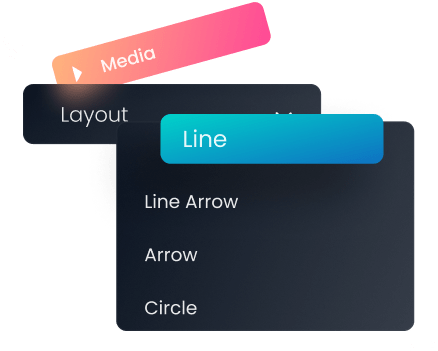
Amazing Separators Layout Styles
Choose from 4+ separators
to elaborate your flows.
Building
Lay out your process from the first step to the last, in the order visitors need to follow it.
Maintaining
Add ongoing steps or checkpoints so users know what happens after the initial setup.
Activating
End with a clear final step that tells visitors exactly what to do next.
Present Your Workflow In An Elegant Dark Mode
Match your website’s theme and go with monochrome visual flow diagrams.
Ideate
Kick off the process with the planning or discovery stage.
Prototype
Show the build or testing stage as it takes shape.
Testing
Wrap up with validation before the process goes live.
Customize Your Step Flow As You Want
Delight visitors by adding line icons, badges, and customized typography.
Edit Media And Choose Any Icon Required
Choose from our library of 300+ line icon or upload your own SVG.
Edit Badge Style And Customize It As Needed
Set your badge offset, positions, and add gradient background.
Customize Title, Description Text As You Require
Add text shadow to title, change typography & color.
Illustrate Your Journey In The Perfect Way
Depict a complete product or process lifecycle using step flow widget for Elementor
-
Awareness
Show new visitors how your process starts, from first contact to onboarding.
-
Consideration
Explain what happens at each stage so leads know what to expect next.
-
Acquisition
Walk users through the final step that converts interest into action.
Now You Are No Longer Bound To X and Y Axis
Add a 3D touch to your step flows using advanced separator settings.
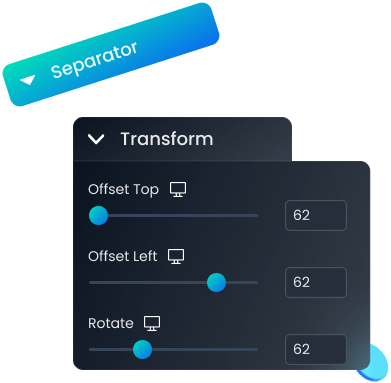
Amazing Separators Layout Styles
Use the Transform option to display separators as you want.
Outline Data
Start by mapping out the raw inputs for your process.
Analyze Results
Break down what the data or process shows at this stage.
Create Design
Turn the findings into a finished output or deliverable.
Our Blogs
Discover The Latest From Xpro Elementor Blogs
7 Best Image Scroll Widget For Elementor – [Tested & Compared]
If you are looking for the best image scroll widget for elementor to showcase stunning landscapes, designs, templates, portfolios, product images, or long web...
Read MoreOur Blogs
Discover The Latest From Xpro Elementor Blogs
Is the Elementor process widget free?
Yes. Step Flow is included free in the Xpro Elementor Addons plugin — no premium upgrade required to use it.
How do I add a process widget in Elementor?
Install the free Xpro Elementor Addons plugin, then drag the Step Flow widget onto your page from the widget panel. Choose a separator style, add your steps, and customize icons, badges, and typography from the widget settings panel.n multisite.
Does Step Flow work with the free version of Elementor?
Yes, Step Flow works with both Elementor Free and Elementor Pro.
How many steps can I add to the process widget?
You can add as many steps as your process needs — the widget isn't limited to a fixed number.
Can I use Step Flow for a vertical timeline instead of horizontal steps?
Yes. Step Flow supports both horizontal and vertical layouts, so you can use it as a process widget or a vertical step timeline.